2019-04-10

If you are interested in cyber world or you use Linux on daily basis you might be familiar with APT package manager. For those who move from Linux to Windows, chocolatey package manager is the best solution for them. A huge Thanks to the small group of 23 people who made APT to Microsoft Windows possible.
To install chocolatey is really simple. You will need a few small requirements to run on your machine:
There are few alternative ways you can install chocolatey. The Easiest way to install it for me was through Command Line.
@"%SystemRoot%\System32\WindowsPowerShell\v1.0\powershell.exe" -NoProfile -InputFormat None -ExecutionPolicy Bypass -Command "iex ((New-Object System.Net.WebClient).DownloadString('https://chocolatey.org/install.ps1'))" && SET "PATH=%PATH%;%ALLUSERSPROFILE%\chocolatey\bin"
That's it!
After the installation there is one more step. Upgrading the packages
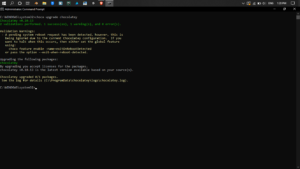
If you find installing chocolatey challenging through Cmd, Follow the Installation page: Install
If you face an error, Follow the Troubleshooting page: Troubleshooting
To uninstall chocolatey, The devs already explained in their Uninstallation page: Uninstall
This was a new experience for me to try a fully working package manager for a Machine that runs on Windows. And I look forward on the Hard work of the developers who made this possible and hope they add more packages in future.
Thank you!
If you want to know more about chocolatey visit their page: Chocolatey
We use cookies to improve your experience on our website. By continuing to use this website, you agree to our use of cookies.

